




Description
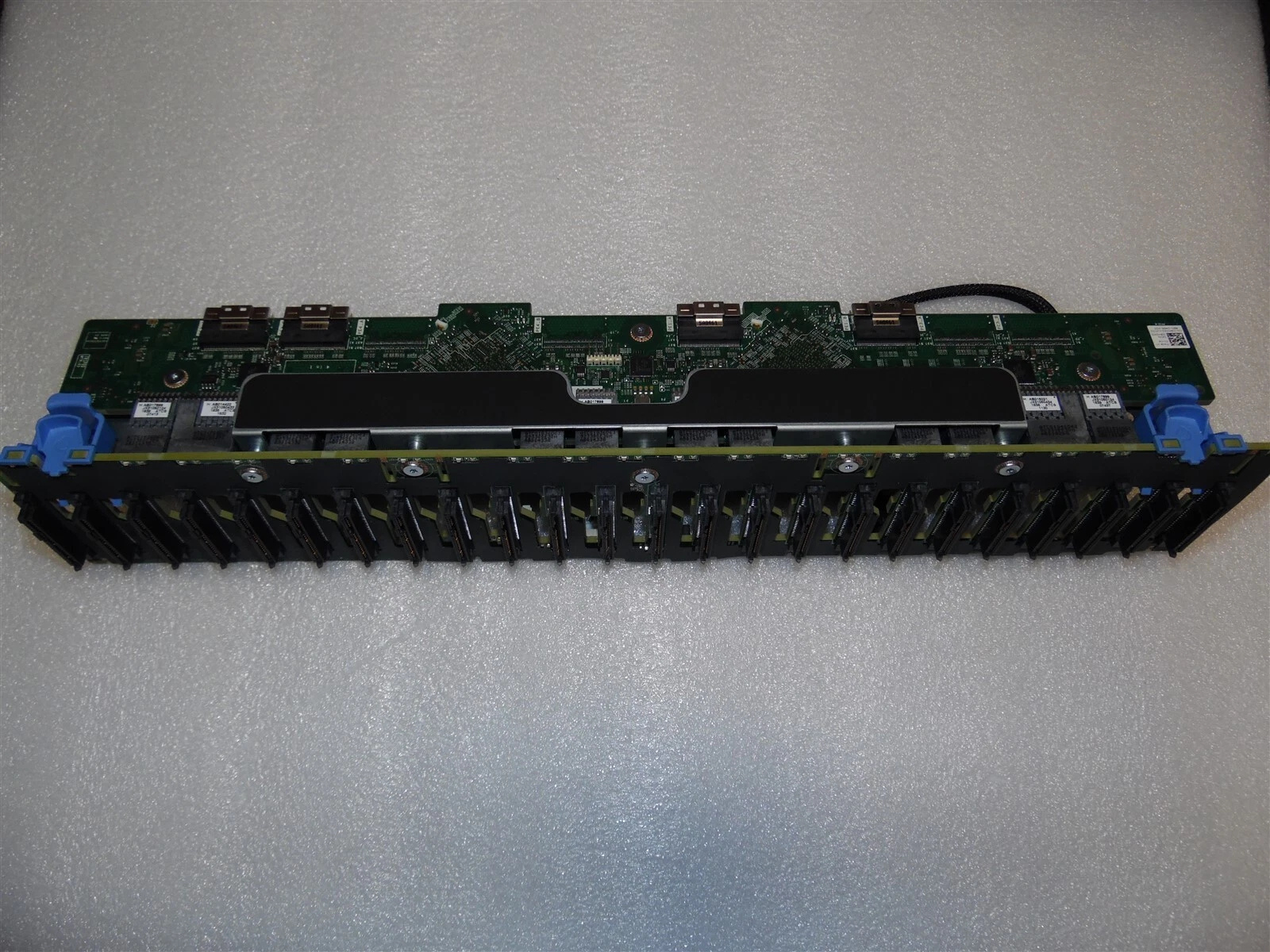
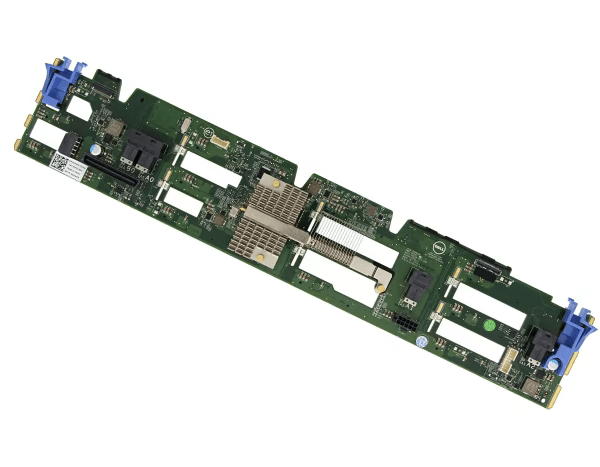
Dell Poweredge R740xd 24 Bay NVMe Server Backplane
The Dell Poweredge R740xd 24 Bay NVMe Server Backplane from Datacom Technologies BD offers robust support for up to 24 NVMe U.2 SSDs, ensuring ultra-fast data transfer and high performance. Designed specifically for Dell PowerEdge R740xd servers, it features easy tool-less installation and integrated cooling for reliable operation. Perfect for demanding applications like database acceleration and virtualization, it guarantees efficiency and scalability for your enterprise storage needs.
Specification Table
| Feature | Details |
|---|---|
| Product Type | NVMe Backplane |
| Compatibility | Dell PowerEdge R740xd Server |
| Drive Support | Up to 24 x 2.5″ NVMe U.2 SSDs |
| Drive Interface | NVMe (PCIe Gen3 or Gen4 depending on server config) |
| Connector Type | Mini-SAS HD / SlimSAS (varies by model) |
| Hot-Swap Support | Yes |
| Cooling Support | Integrated with server’s airflow and cooling |
| Power Distribution | Through midplane/server power backplane |
| Installation | Tool-less drive carrier installation |
| Use Case | High-speed storage, database acceleration, virtualization |
📝 Product Description
The Dell PowerEdge R740xd NVMe Backplane is a high-performance storage upgrade component specifically designed for the Dell R740xd server platform. This backplane enables support for up to 24 hot-swappable 2.5″ NVMe U.2 SSDs, allowing businesses to take full advantage of NVMe technology’s ultra-fast data transfer speeds and low latency. Ideal for I/O-intensive workloads such as big data analytics, database acceleration, and virtualization, this backplane dramatically boosts storage performance.
Designed with tool-less installation, the R740xd NVMe backplane ensures quick upgrades and easy maintenance. It integrates seamlessly into the server’s existing cooling and power infrastructure, ensuring efficient heat dissipation and consistent power delivery without the need for additional components.
This backplane supports either PCIe Gen3 or Gen4 drives, depending on your system configuration, ensuring maximum compatibility with modern storage solutions. It uses SlimSAS or Mini-SAS HD connectors, supporting scalable, modular architecture that IT administrators prefer for flexible data center deployments.
Whether you’re expanding your server’s capabilities or building out a high-speed storage array, the Dell R740xd NVMe backplane provides a reliable, enterprise-grade solution that optimizes both performance and capacity for today’s data-driven environments.
Key Features
- High-Speed NVMe Support – Enables direct NVMe drive connectivity for ultra-fast data access and low latency.
- Hot-Swappable Drive Bays – Supports quick replacement of NVMe drives without shutting down the server.
- Optimized Cooling & Airflow – Designed to maintain proper airflow within Dell PowerEdge R740xd chassis.
- Durable Build Quality – Built with enterprise-grade materials for long-lasting performance.
- Scalable Storage Configuration – Supports multiple NVMe drive slots for flexible storage expansion.
- Native Dell Compatibility – Fully compatible with Dell R740xd servers for seamless integration.
Where it Can Be Used?
- Data Centers – For high-performance storage solutions and database servers.
- Enterprise Applications – Ideal for virtualization, big data analytics, and high-speed transaction systems.
- Cloud Infrastructure – Supports fast storage access in private and hybrid cloud environments.
- AI & Machine Learning – Perfect for workloads requiring rapid data processing and training models.
- High-Frequency Trading – Suited for ultra-low latency financial transactions.
Installation Steps
- Power Off the Server – Ensure the Dell R740xd is turned off and disconnected from power.
- Remove the Front Bezel – Access the drive bays by carefully removing the server’s front bezel.
- Install the Backplane – Align and secure the NVMe backplane into the designated slot inside the chassis.
- Connect Cables – Attach necessary data and power cables from the backplane to the motherboard and power supply.
- Reinstall Drive Carriers – Insert NVMe drives into the new backplane slots.
- Secure and Power On – Reattach the bezel, reconnect power, and turn on the server to verify functionality.
Why Buy Dell R740xd NVMe Backplane from Datacom Technologies BD?
- ✅ 100% Original & Guaranteed Product: Datacom Technologies BD supplies only genuine Dell R740xd NVMe Backplanes imported from authorized sources, ensuring the highest quality for your servers.
- ✅ Competitive Pricing: We offer the best market price for Dell R740xd NVMe Backplanes, so you can get premium server components at an affordable cost.
- ✅ Fast Delivery & Reliable Service: We ensure the fastest nationwide delivery along with professional technical support for your convenience.
- ✅ Expert Team & Consultation: Our experienced team will help you choose the right NVMe Backplane according to your needs, ensuring maximum server performance.
- ✅ Warranty & After-Sales Support: We provide official warranty with our products and remain available for any post-purchase assistance.
Buy Dell R740xd NVMe Backplane at the Best Price from Datacom BD Online
In Bangladesh, you can get Dell R740xd NVMe Backplane From Datacom. We have a large collection of latest Server Backplane to purchase. Order Online Or Visit our Office to get yours at lowest price. The Dell R740xd NVMe Backplane comes with 1 Year warranty.
Get in Touch with Datacom Technologies (BD)
- 📞 Call/WhatsApp: 01748173213
- ✉ Email: sales@datacomtechbd.com | datacomtechnologiesbd@gmail.com
What is the price of Dell R740xd NVMe Backplane in Bangladesh?
The estimated price of Dell R740xd NVMe Backplane in Bangladesh is 0৳. You can buy the Dell R740xd NVMe Backplane at best price from our website or visit our Office.
For the most accurate pricing, stock availability, and warranty details, we recommend contacting us before placing your order.





Reviews
Clear filtersThere are no reviews yet.